> For the complete documentation index, see [llms.txt](https://docs.ibexa.ai/llms.txt). Markdown versions of documentation pages are available by appending `.md` to page URLs; this page is available as [Markdown](https://docs.ibexa.ai/features-overview.md).
# Features Overview
This page gives you a quick tour of the AI capabilities available on the Ibexa Agentic Marketing Platform. Use it to understand what each feature does and where to go for a step-by-step guide.
## Agents
Agents are configurable AI actors that combine an AI model, your instructions, external tools, and your organisation's Knowledge Base to complete tasks on their own.
With agents, you can:
* Automate repeatable work such as content generation, data analysis, campaign reporting, and document processing.
* Give an agent access to external tools via MCP servers, so it can retrieve data or perform actions in connected systems.
* Rely on your Knowledge Base as default context, so outputs stay aligned with your brand voice and organisational rules.
* Run an agent manually, on a schedule, or automatically when triggered by an external event (webhook).
* Combine several agents into a multi-agent flow for more complex tasks, with guardrails and human checkpoints along the way.
Every agent run consumes credits from your organisation's budget, so an agent cannot start if no credits are available.
See [Agents](/manual/agents.md) to learn how to create, configure, and run agents.
## Assistant
The AI Assistant is a chat interface available on every page of the platform. Ask it questions, request an action, or get guidance without leaving what you're working on.
With the Assistant, you can:
* Describe a task in plain language and have it handled for you, as an alternative to setting up a dedicated agent.
* Get suggestions on agent creation and how to use the platform.
* Open it from a specific page (such as a report or dashboard) so it already has context about what you're looking at.
* Attach images, PDFs, CSV files, and other documents (up to 10 MB each) for extra context.
* Chat in English, German, French, or Spanish.
Each conversation is independent - the Assistant does not remember previous sessions - and every message consumes credits from your budget.
See [Assistant](/manual/assistant.md) to learn how to open and use the Assistant.
## Reports
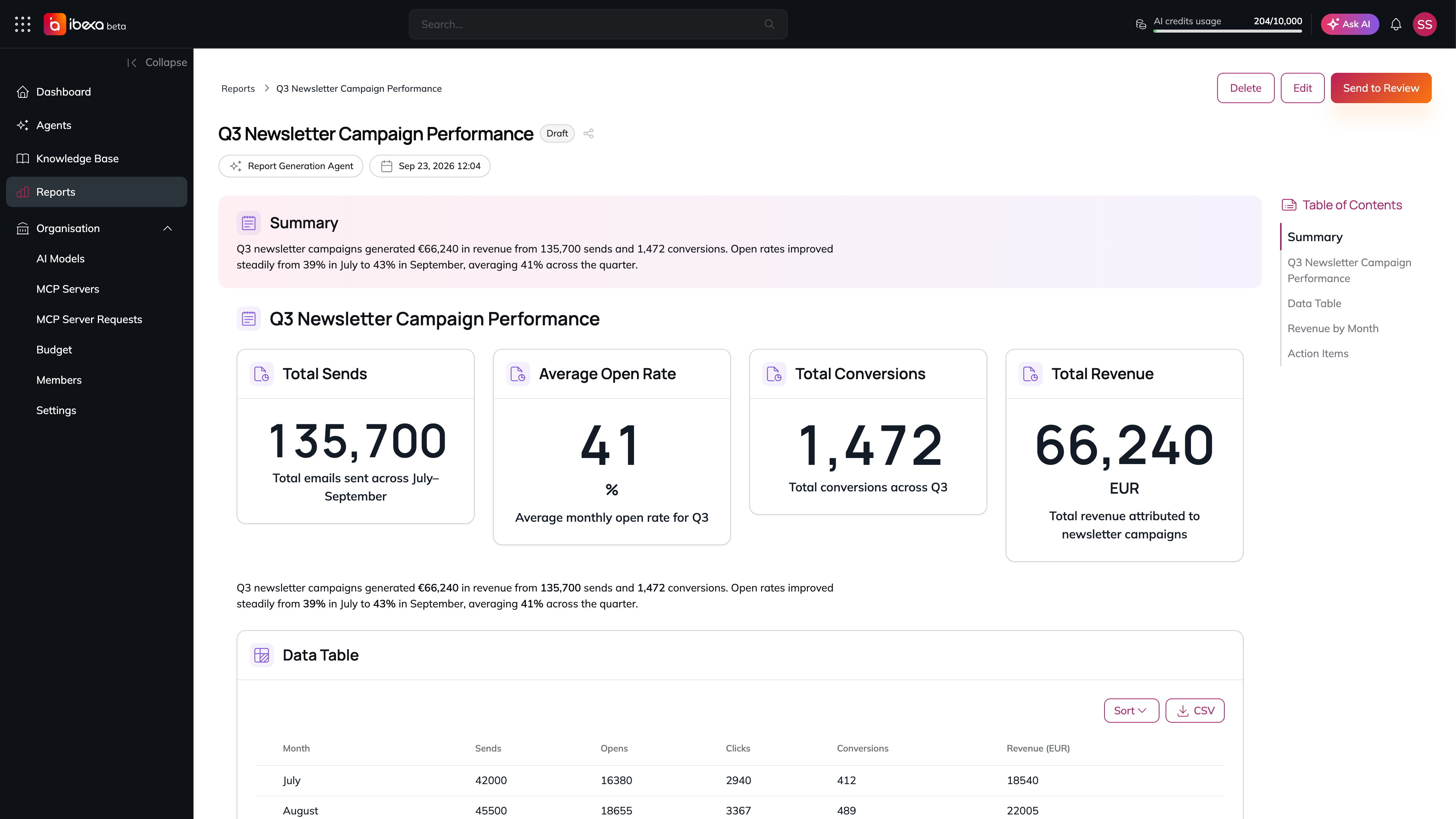
Reports are structured, data-backed documents assembled by a dedicated reporting agent - no manual authoring required.
With AI-generated reports, you can:
* Ask for a report by describing its content, scope, and data sources in natural language.
* Trust that every figure comes from a connected tool (MCP server) - the agent never invents data.
* Request edits to an existing report, and have the agent update only the affected sections.
* Move a report through its review lifecycle: **Draft → In Review → Published**.
A report generated by an agent
See [Reports](/manual/reports.md) to learn how to view, review, and manage reports.
## Knowledge Base
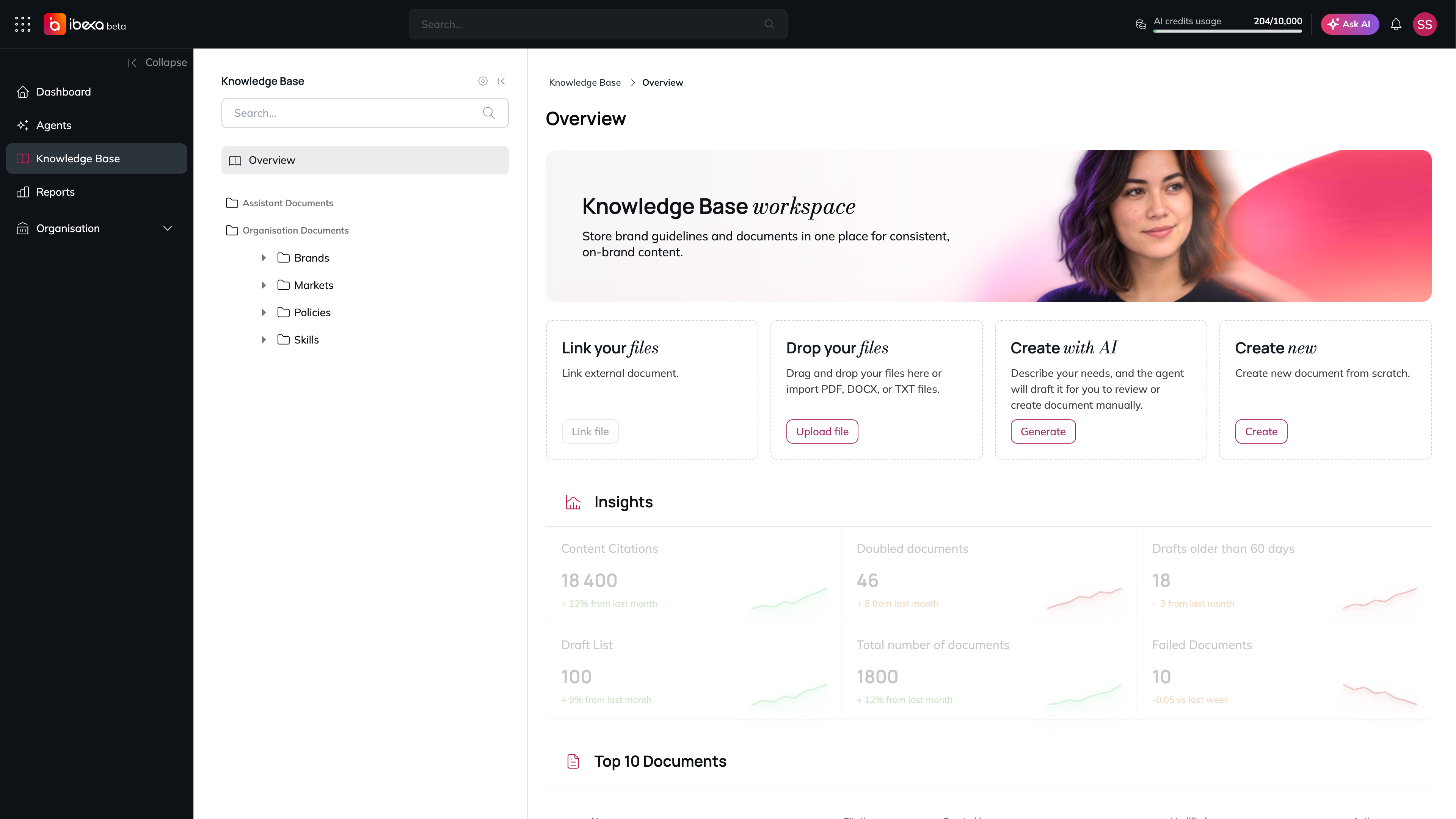
The Knowledge Base is your organisation's shared library of reference material - brand guidelines, procedures, and other documents - that agents and the Assistant draw on automatically.
With the Knowledge Base, you can:
* Store documents that are applied as default context to every agent and Assistant interaction, so outputs stay consistent with your organisation's standards.
* Let agents create draft documents in the Knowledge Base, which always require your review and publication before they count as active context.
* Link specific documents to individual agents for task-specific context beyond the organisation-wide default.
* Turn off default Knowledge Base context for agents that need to operate without those constraints.
The Knowledge Base
See [Knowledge Base](/manual/knowledge-base.md) to learn how to upload, organise, and publish content.
## Dashboard Intelligence
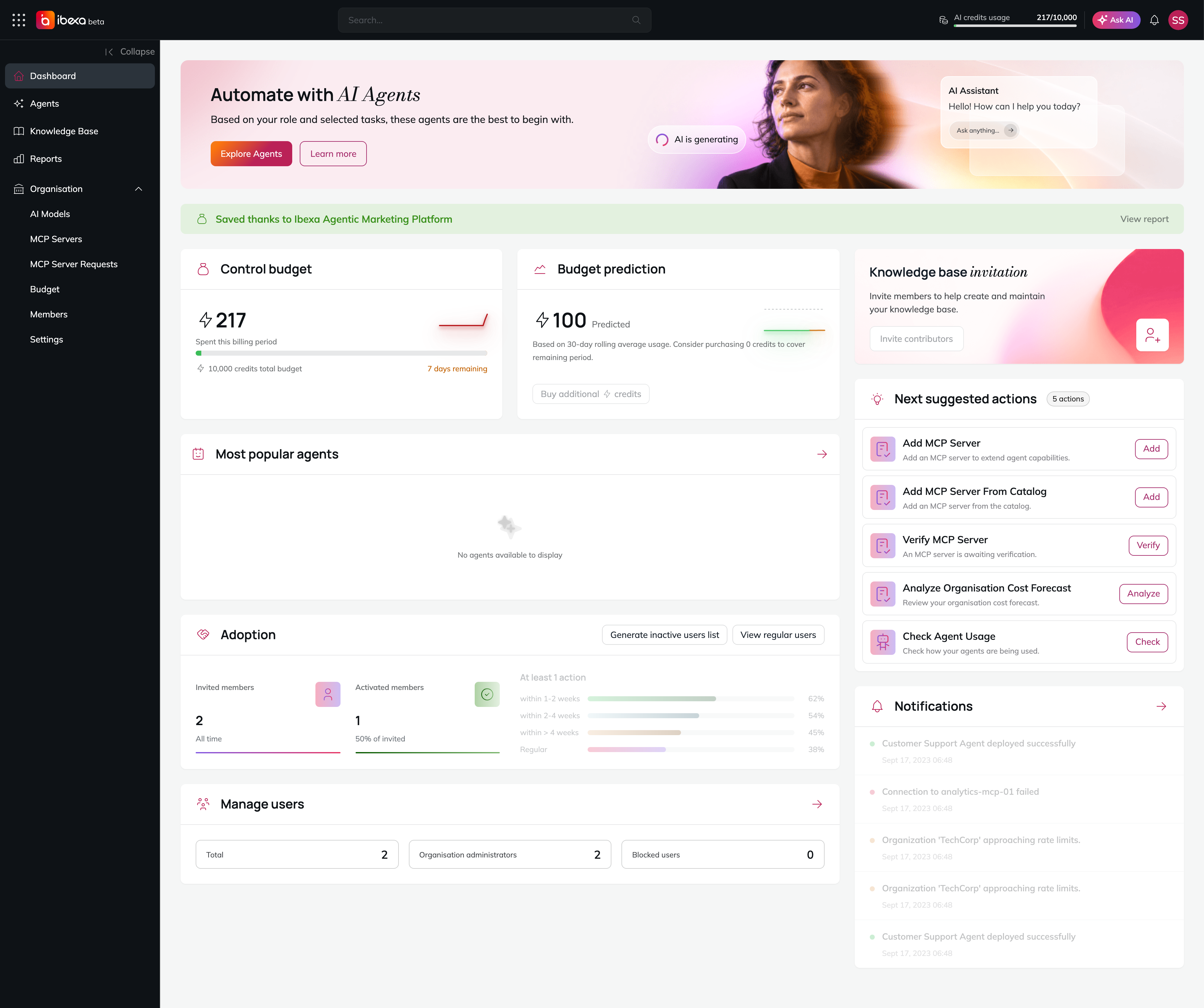
Your Dashboard is personalised to your role and recent activity, and includes AI-driven suggestions to help you get more value from the platform.
Dashboard AI features include:
* **Recommended agents**, based on the role and tasks you declared when activating your account.
* **Complementary action suggestions**, based on your recent activity (for example, "You created a campaign - want to add a quiz?").
* **Cost optimisation tips**, such as suggesting a cheaper model for a specific agent.
* **Savings estimates**, showing the time and cost your organisation has saved through automation.
* **Budget predictions**, forecasting when your credit balance will run out based on current usage.
Savings estimates, budget predictions and suggested actions on the Dashboard
All suggestions are informational - nothing is applied automatically, and you can dismiss any suggestion at any time.
See [Dashboard](/manual/dashboard.md) to learn more about your dashboard widgets.
## Budget Advisory
The Budget page helps you monitor, forecast, and optimise how your organisation spends its AI credits.
Budget AI features include:
* A **credit consumption forecast** for the rest of the current billing period.
* A **budget exhaustion prediction**, estimating when your credit balance will reach zero at current usage rates.
* Configurable **notification thresholds**, so you're alerted before you run low (a 100% exhaustion alert is always on).
Budget predictions and forecasts are estimates to guide your decisions - the platform never purchases credits or changes your budget automatically.
See [Budget](/manual/organisation/budget.md) to learn how to track and manage your organisation's credits.
## AI Models
Owners and Administrators can connect multiple AI model providers and choose which models power each agent, the Assistant, and Reports.
With model configuration, you can:
* Connect providers such as OpenAI, Anthropic, Google, Mistral, Ollama, and others.
* Assign a specific model to each agent, balancing cost, speed, and output quality for the task at hand.
* Let the platform automatically discover available models, along with their capabilities, pricing, and token limits, once a provider's credentials are verified.
* Enable or disable models at any time - disabling a model immediately stops it from being used in new agent runs.
See [AI Models](/manual/organisation/ai-models.md) to learn how to add and manage model providers.
## MCP Servers
MCP (Model Context Protocol) Servers are what give agents and the Assistant the ability to act on external systems, not just generate text.
With MCP Servers, you can:
* Connect an external service - such as a database, a third-party API, or a web search tool - and expose its capabilities as tools your agents can call.
* Add a server from a curated catalog with a few clicks, or configure a custom server manually.
* Enable or disable a server at any time, immediately turning its tools on or off for all agents that use them.
* Rely on a set of **built-in MCP servers** that ship with the platform and require no setup - for example, delegating tasks to sub-agents, generating and managing reports, or searching and publishing Knowledge Base content.
Only Owners and Administrators can add, configure, or remove MCP servers. Any member can request a new tool from the Dashboard.
See [MCP Servers](/manual/organisation/mcp-servers.md) to learn how to add and manage MCP servers, and [Built-in MCP Servers](/manual/organisation/built-in-mcp-servers.md) for the servers included out of the box.