> For the complete documentation index, see [llms.txt](https://docs.ibexa.ai/llms.txt). Markdown versions of documentation pages are available by appending `.md` to page URLs; this page is available as [Markdown](https://docs.ibexa.ai/tutorials/building-a-market-news-digest-agent.md).
# Building a Market News Digest Agent
Build a scheduled Market News Digest agent that pulls corroborated news events from NewsMCP and turns them into a newsletter-style, human-reviewed report every day or week.
| **Time to complete** | \~20 minutes |
| -------------------- | -------------------------------------------------------------------------------------------------------------------------------------------------------------------- |
| **Who this is for** | Marketing team members and Content Editors who track a company, competitors, or an industry, and want a recurring news summary without manually searching every day. |
## What You Will Build
By the end of this tutorial you will have a working **Market News Digest** agent - an agent that runs on a **Schedule trigger**, fetches the latest well-corroborated news events for a watchlist of subjects using the **NewsMCP Server**, ranks the items by importance, and writes them up as a **newsletter-style Report**: a Header followed by flowing Markdown sections (an intro blurb, one write-up per story with a headline, short narrative paragraph, and a source link) rather than a spreadsheet-like table. Once set up, the agent keeps producing a fresh, ready-to-send digest on your chosen cadence - daily for a fast-moving watchlist, or weekly for a broader roundup - so your team always starts the day with copy that's close to publish-ready for a newsletter, social post, or competitor-monitoring update.
## What is NewsMCP?
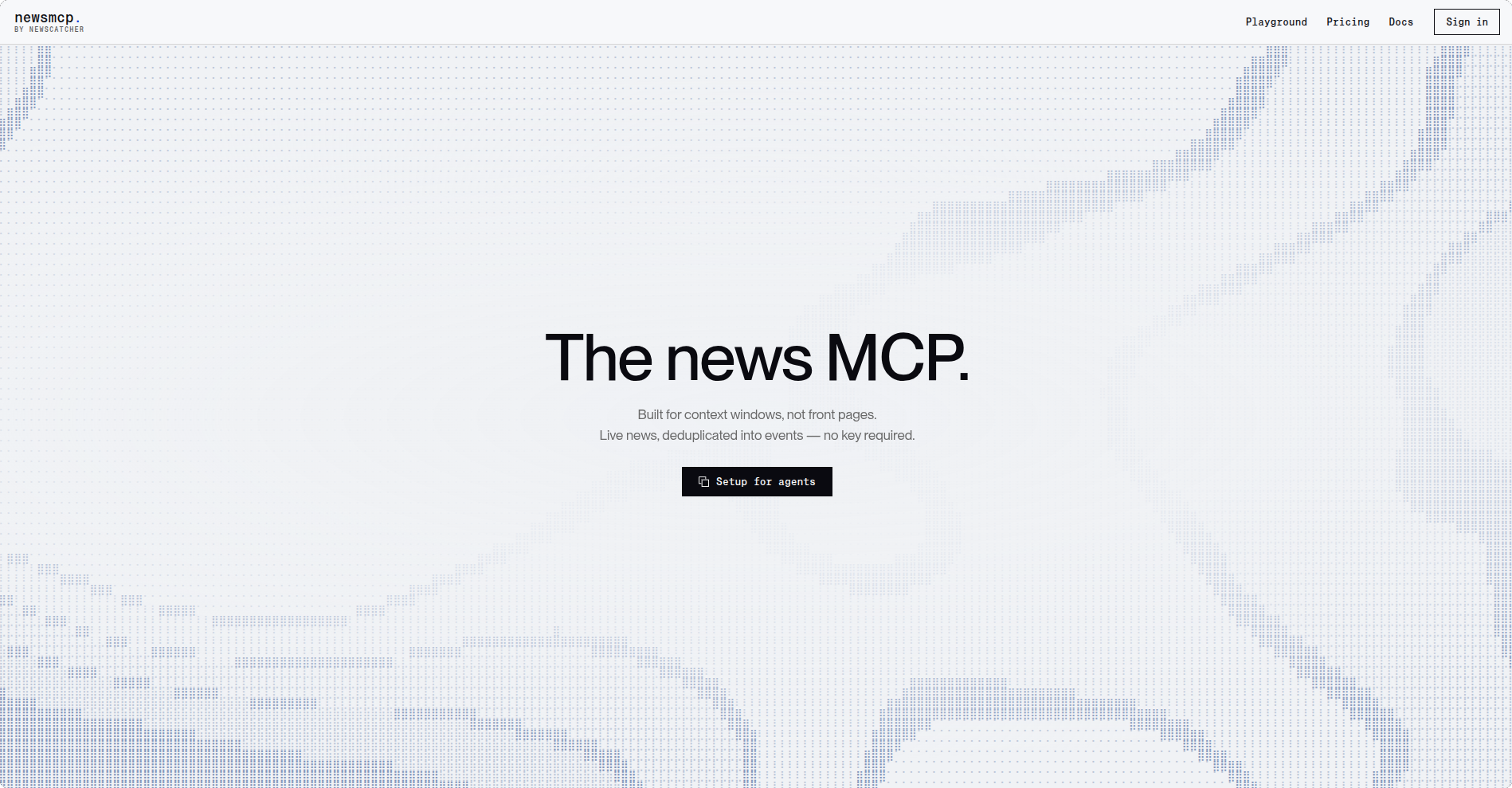
[NewsMCP](https://newsmcp.com/) is a hosted MCP server, built by NewsCatcher, that searches a live, continuously updated news index. Instead of a flat list of articles, it returns **story events**: every article covering the same story - across outlets and languages - is clustered into one event, with corroboration counts (`newsrooms`, `source_count`) that tell you how independently confirmed a story is. It works keyless (20 calls/hour, 7-day lookback, up to 20 stories per call) - enough to complete and run this tutorial - and a free key raises those limits if you need more.
The NewsMCP homepage
## Prerequisites
Before you start, make sure the following are in place:
* At least one **AI model** has been connected and enabled (**Organisation → AI Models**). If none is available, ask your administrator.
* The built-in **Reports MCP Server** has been added to your organisation (**Organisation → MCP Servers**). See [Reports MCP Server](/manual/organisation/built-in-mcp-servers/reports-mcp-server.md).
* A short list of subjects you want to track (your own company, competitors, and/or industry terms), e.g. `Ibexa`, `Acme Corp`, `Contentful`.
## Overview of the Steps
1. Add the NewsMCP Server to your organisation.
2. Create the Market News Digest agent with instructions and a Schedule trigger.
3. Connect the NewsMCP and Reports tools.
4. Run the agent once to validate it, then let the schedule take over.
5. Review and publish the generated report.
## Step 1: Add the NewsMCP Server
NewsMCP is an external MCP server that exposes news search and story-lookup tools your agent can call.
### 1.1 - Open the MCP Servers page
Go to **Organisation → MCP Servers** in the main navigation menu.
### 1.2 - Add a new server
Select **Add MCP Server** in the top-right corner and fill in the form with the following values:
| Field | Value |
| -------------- | ----------------------------------------------------- |
| **Name** | `NewsMCP` |
| **Identifier** | `newsmcp` *(auto-filled from the name - leave as is)* |
| **URL** | `https://mcp.newsmcp.com/mcp` |
| **Enabled** | ✅ *(checked by default - leave it on)* |
> This server works **keyless** - no header or credential is required to complete this tutorial. If you later need higher limits (more calls per hour, a longer lookback window, or more stories per call), get a free key at [platform.newsmcp.com/auth](https://platform.newsmcp.com/auth) and add it as an `x-api-key` header on this server's connection settings.
### 1.3 - Save and verify the server
1. Select **Save**. You are taken to the NewsMCP server detail page.
2. Open the **actions menu** (top-right of the page) and select **Verify**.
3. Wait a few seconds for a success message confirming the server is reachable.
> **Tools you will see:** After a successful verification, the Tools Browser on the server detail page lists five tools: **news** (search/filter story events - the general-purpose tool), **get\_story** (expand one event by id, with full source links), **check\_coverage** (judge whether a claim is well-corroborated), **check\_limits** (see your current call/rate allowances, free to call), and **check\_health** (connectivity check only). You will use **news** and **get\_story** in this tutorial.
## Step 2: Create the Agent Definition
### 2.1 - Open the Add Agent page
Select **Agents** in the main navigation menu, then **Add Agent**. Choose **Add Custom Agent** to start from a blank page.
### 2.2 - Step 1: Instructions
Paste the following into the **Instructions** field, replacing the example subjects with your own watchlist:
```
## Role & Objective
Act as a Market News Digest agent. Your goal is to produce a concise, ranked summary of the most important, well-corroborated news for a fixed watchlist of subjects, on a recurring schedule.
## Watchlist
Track these subjects: CMS (replace with your organisation's own company, competitors, and/or industry terms).
## Core Workflow & Execution
* For each subject in the watchlist, call the `news` tool with `subject` set to that name (not `q`), so the search matches the subject as a phrase and looks back far enough to find relevant coverage.
* Prefer stories with a higher `newsrooms` count (independent outlets) over single-source items - this is the strongest signal that a story is real rather than a rumour or a single outlet's speculation.
* For any story that looks especially significant but thinly reported, use `check_coverage` to confirm how many independent newsrooms actually carried it before including it.
* If a summary needs more detail than the digest line provides, use `get_story` to expand that event.
* Deduplicate events that describe the same underlying story across subjects.
* Rank all retrieved events by importance, prioritising: funding/M&A, product launches, leadership changes, regulatory or legal action, and any story with a high `newsrooms` count. Discard routine or low-signal items.
* Select the top 5-10 events overall for the digest.
## Expected Output
Create a report using the Reports tools, written like a newsletter rather than a data sheet:
* A Header block titled "Market News Digest - {date range covered}".
* A Markdown block with a two- to three-sentence intro blurb summarising the period at a glance (e.g. how many subjects had notable news, and the single biggest story).
* One Markdown block per selected event (do not use a Data Table block), each formatted as:
* A bolded headline as its own line, e.g. **Acme Corp Unveils Revamped Content Hub for Global Campaigns**.
* A short narrative paragraph (2-4 sentences) in your own words, based on the event's `headline`, `abstract`, and `entities` - not copy-pasted from the source. Mention the subject/entity by name so it reads like a newsletter item, not a database row.
* A closing line noting corroboration and the source, e.g. _Reported by 28 independent newsrooms. [Read more]()._
* An Action Item block suggesting one follow-up per high-impact item (e.g. "Review competitive response to {subject}'s announcement"), left unassigned for a human to triage.
* Save the report as a Draft - do not publish it automatically.
```
> **Why this matters:** The instructions define ranking criteria and a fixed output shape (Header + intro Markdown + one Markdown block per story + Action Items) so every run produces a consistently structured, comparable digest that reads like a newsletter someone would actually want to open - regardless of how much news happened that day or week. Using `subject` instead of `q`, and favouring `newsrooms` over raw article count, keeps the digest focused on real, independently confirmed stories rather than syndicated noise. Writing each item as a short narrative paragraph (not a table row) means the report needs little to no rewriting before it's dropped into an actual newsletter or social post.
Select **Next**.
### 2.3 - Step 2: Triggers - Add a Schedule
1. Select **Add trigger** and choose a **Scheduler** trigger that matches your desired cadence - **Daily Schedule** for a fast-moving watchlist, or **Weekly Schedule** for a broader roundup.
2. Set the time (UTC) or day of the week for the run, e.g. daily at `08:00` so the digest is ready before the workday starts.
3. Optionally also add **Run Now**, so you can trigger the digest manually to validate it in Step 3 before waiting for the schedule.
Select **Next**.
### 2.4 - Step 3: Tools - Add NewsMCP and Reports
1. Select **Select tools**.
2. Choose the **NewsMCP** server you added in Step 1. Enable at least **news** and **get\_story** (add **check\_coverage** if you want the agent to verify thinly-sourced stories, as described in the instructions).
3. Choose the built-in **Reports** MCP server. Enable at least:
* **Create Report**
* **Add Block**
* **Update Report Metadata**
4. Confirm your selection and select **Next**.
### 2.5 - Step 4: Knowledge Base
Leave this step empty, or link a folder containing your brand's tone-of-voice guidelines if you want the "Why It Matters" column written in your organisation's house style. Select **Next**.
### 2.6 - Step 5: Quality Metrics
Leave this step empty for now - you can configure quality monitoring later from the agent's **Edit** page. Select **Next**.
### 2.7 - Step 6: General Properties
| Field | Value |
| ------------------- | ------------------------------------------------------------------------------------------------------------------- |
| **Name** | `Market News Digest` |
| **Description** | `Fetches corroborated news events from NewsMCP for a watchlist and publishes a ranked digest report on a schedule.` |
| **Model** | Your organisation's configured AI model. |
| **Number of steps** | `50` |
Leave the remaining fields at their defaults and select **Submit**. You're taken to the new agent's detail page.
## Step 3: Validate the Agent
### 3.1 - Run the agent once manually
Open the agent's detail page and select **Run test** (or trigger the **Run Now** trigger if you added it). Send an empty message or `Generate today's digest` to kick off a run using the instructions as-is.
### 3.2 - Check the result
The run should call `News Search` for each watchlist subject (optionally `Story Details` or `Coverage Check` for individual events), then the Reports tools to assemble a new report. Expect the agent to reply with a link to the generated report, and a short confirmation such as:
> Created report **Market News Digest - 24 Sep 2026** with 6 events across Ibexa, Acme Corp, Contentful. Saved as Draft.
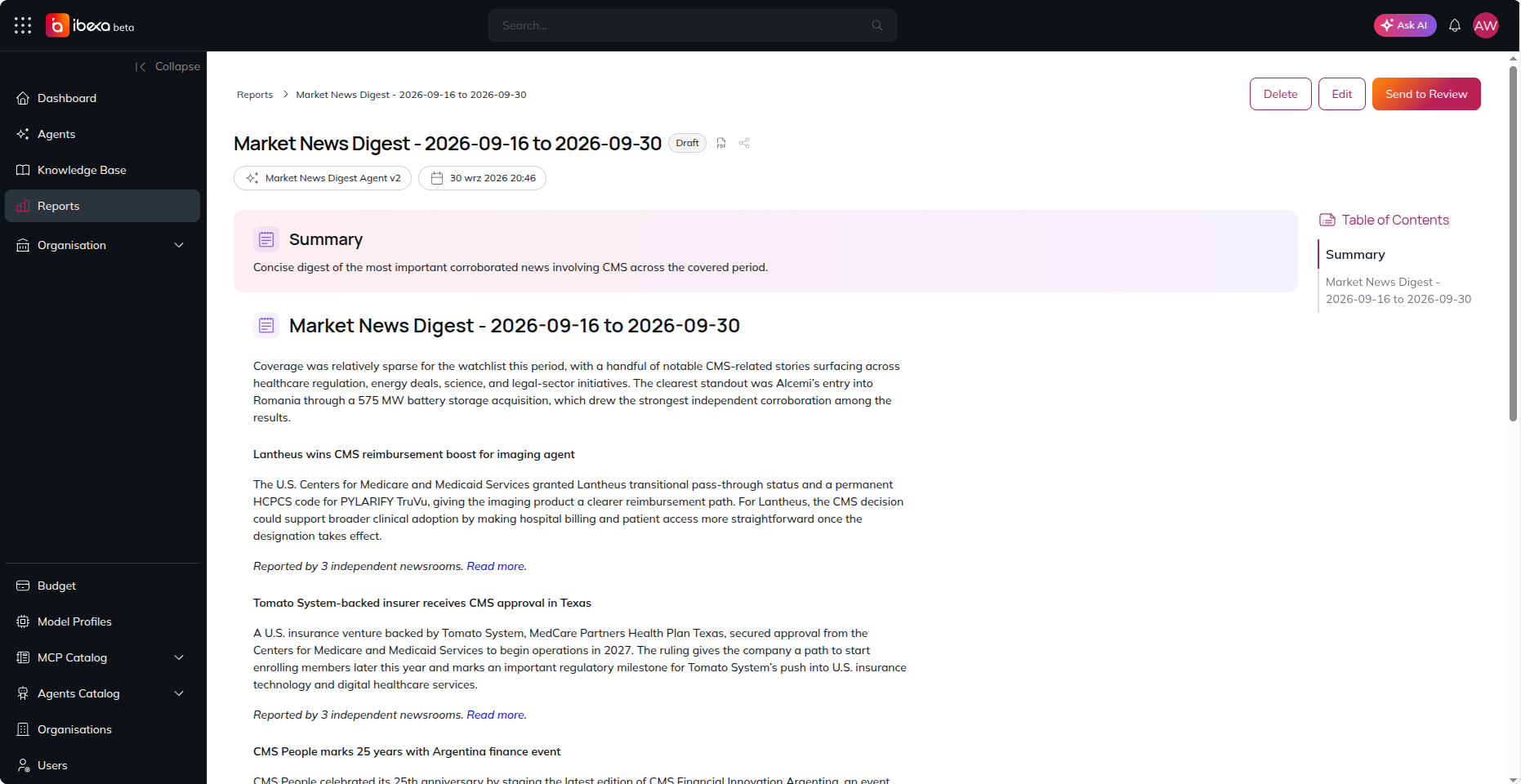
Open the report itself, and expect the story sections to read like newsletter copy rather than a table, for example:
> **Acme Corp Unveils Revamped Content Hub for Global Campaigns**
>
> Acme Corp has rolled out a redesigned content hub that centralises campaign assets and speeds up localisation across markets, a move worth tracking against Ibexa's own content management roadmap.
>
> *Reported by 28 independent newsrooms.* [*Read more*](https://example.com/news/acme-corp-content-hub)*.*
If a subject returns no news, that's expected some days - the report should simply include fewer rows rather than fail. Keyless calls are capped at 20/hour with a 7-day lookback; if you see a note in the reply saying a request was narrowed, that's the server telling you it reduced your request to fit the current allowance - not an error.
## Step 4: Let the Schedule Take Over
Once validated, no further action is needed - the **Schedule trigger** from Step 2.3 runs the agent automatically at the configured cadence. Each run creates a **new** report rather than editing the previous one, so you build up a running history of digests on the **Reports** page, filterable by the **Market News Digest** agent.
## Step 5: Review and Publish
1. Go to **Reports** in the main navigation menu and filter by the **Market News Digest** agent.
2. Open the latest report, review the ranked items and suggested action items.
3. Edit anything that needs a human touch, then advance the status from **Draft** to **In Review** and finally **Published**, per your organisation's review workflow - see [Reports](/manual/reports.md).
The generated Market News Digest report
## Troubleshooting
| Issue | What to do |
| --------------------------------------------------------------- | ------------------------------------------------------------------------------------------------------------------------------------------------------------------------------------------------------------------------------------- |
| NewsMCP server fails **Verify** | Confirm the URL is exactly `https://mcp.newsmcp.com/mcp` and that your organisation's network allows outbound HTTPS to it. |
| A subject returns no or irrelevant events | Make sure the instructions use `subject` (not `q`) for company/person/place names - `subject` quotes the name and widens the lookback window automatically. |
| Runs start failing with a limits/rate error | You've likely exceeded the keyless allowance (20 calls/hour). Add a free API key (Step 1.2) to raise the limit, or reduce watchlist size / schedule frequency. |
| The report reads like a table or a raw copy-paste of the source | Re-check the instructions' **Expected Output** section - it must explicitly say "Markdown block" and "not a Data Table block", and ask for original narrative paragraphs rather than copied text. |
| The report is missing a story section or the Action Item block | Confirm **add\_block** is enabled for the Reports tool, and that the model has enough **Maximum number of steps** configured to complete multi-subject lookups plus report assembly (one `add_block` call per story adds up quickly). |
| Scheduled runs aren't happening | Check the agent's **Behaviour** tab to confirm the Schedule trigger is still present and enabled, and that your organisation has available credits at the scheduled time. |
## Summary
You've built a recurring, tool-sourced news digest. Here's what you did:
1. ✅ Connected the **NewsMCP Server** to your organisation.
2. ✅ Created a **Market News Digest** agent with instructions that define a watchlist, corroboration-based ranking criteria, and a newsletter-style report shape (Markdown narrative per story, not a table).
3. ✅ Added a **Schedule trigger** so the digest regenerates automatically, daily or weekly.
4. ✅ Connected the **NewsMCP** and **Reports** tools so every digest is sourced from real, independently confirmed events, never invented.
5. ✅ Validated the agent with a manual run, then reviewed and published the resulting report.
## Next Steps
* **Add another data source** alongside NewsMCP (e.g. a social listening or industry-specific MCP server) to aggregate news from multiple channels into the same digest.
* **Replace NewsMCP with your CMS or e-commerce platform** to generate activity summaries or sales reports instead of news events.
* **Delegate distribution**: add a sub-agent or MCP server (e.g. Slack, email) that posts a link to the newly published digest, once you're comfortable with the Agent Delegation pattern from [Extending Your General Assistant with a Link Manager Sub-Agent](/tutorials/building-a-link-manager-sub-agent.md).